
Setup 101
Get started in minutes
Creating your QuoteAhead account takes about two minutes. Follow the four steps below and you are ready to post jobs or bid on them.
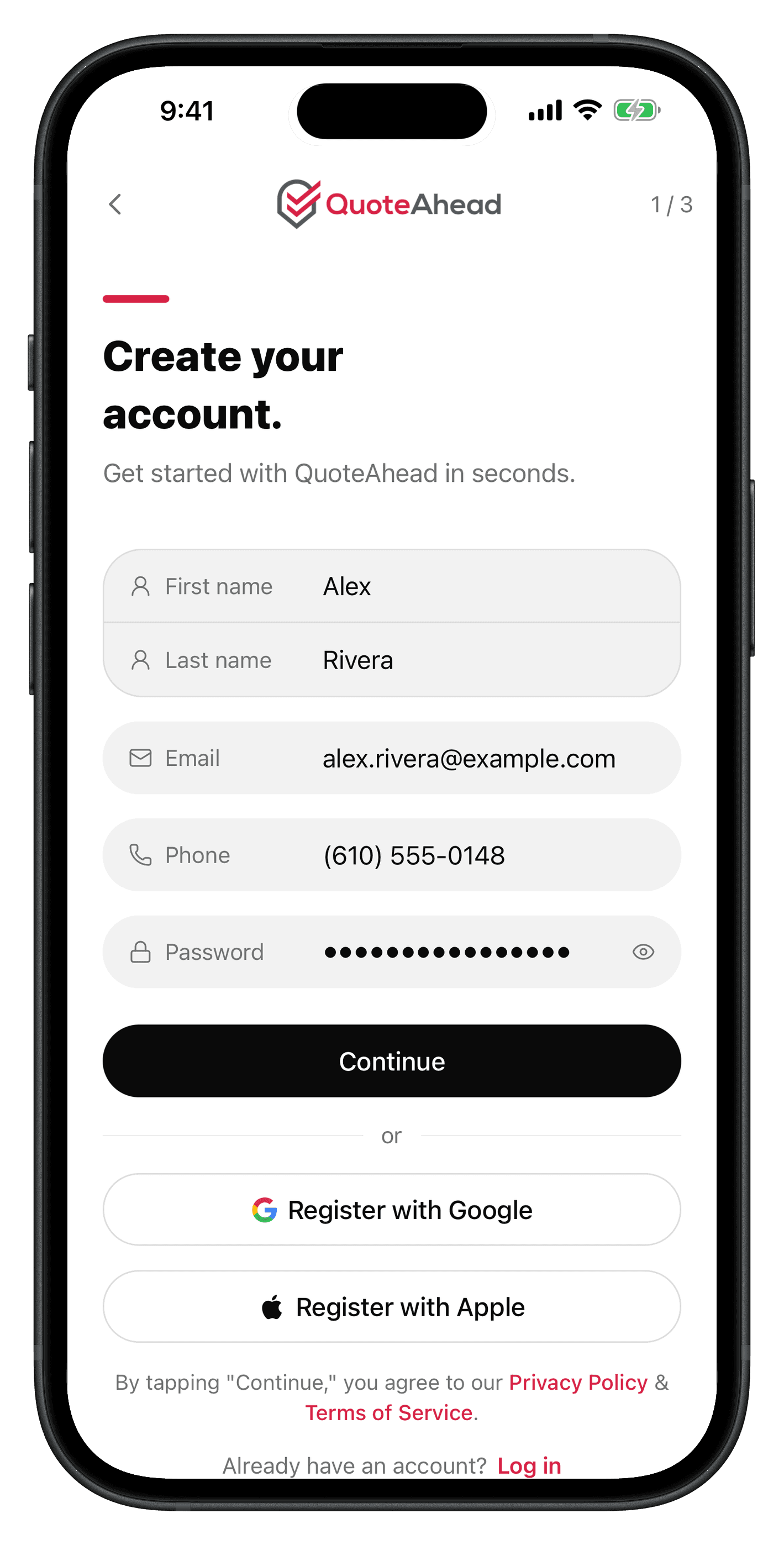
Create your account
Name, email, and phone
Add your name and the email and mobile number you will use to sign in and get notified about quotes and messages.
First and last name
Email address
Mobile phone number
Password, or one tap
Set a password of 8 or more characters, or skip the form and register with Google or Apple in one tap.
Where you're based
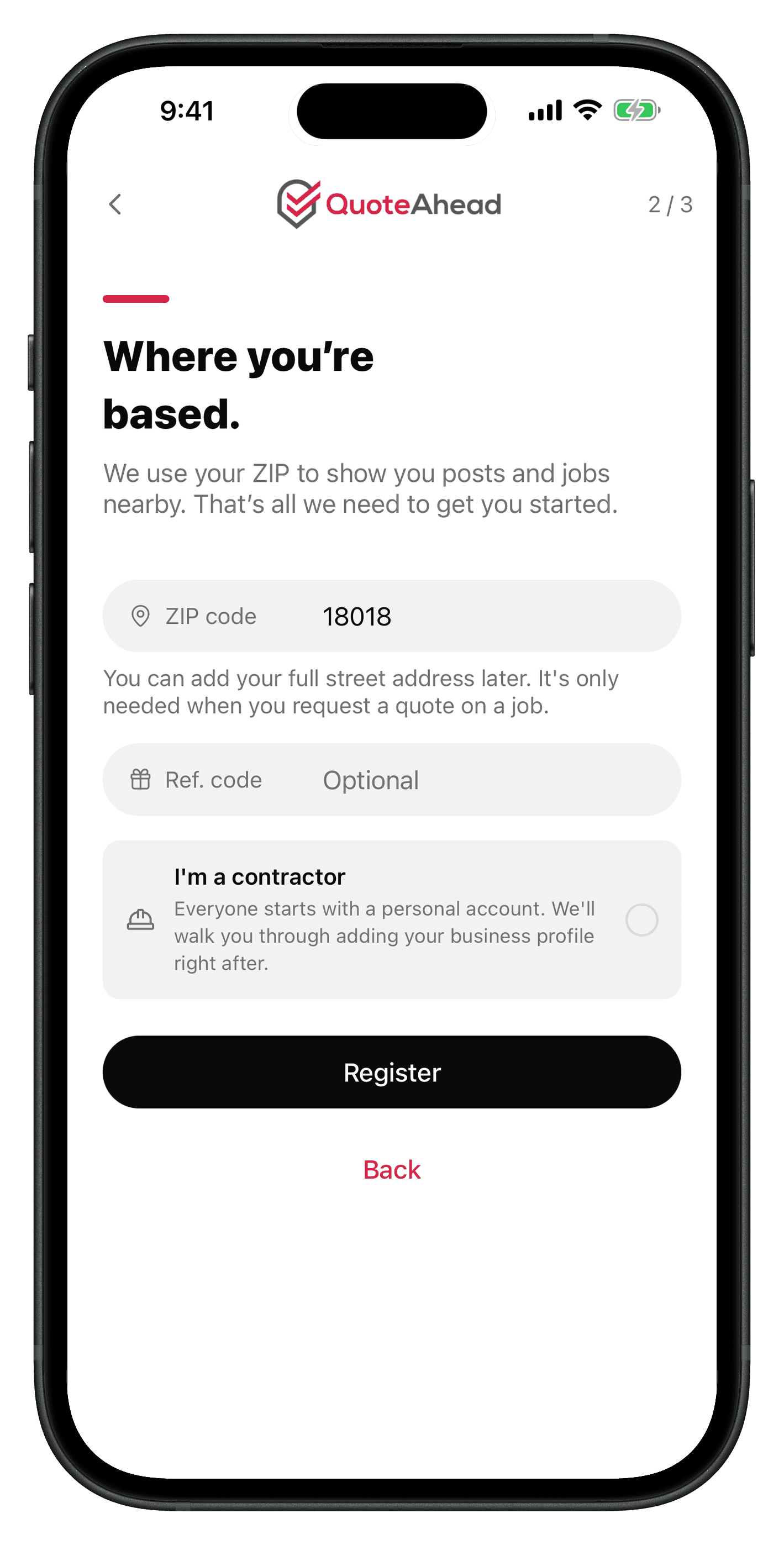
ZIP code
We use your ZIP to show you posts and jobs nearby. Add your full street address later, only when you request a quote on a job.
Referral code and account type
Add a referral code if a friend sent you one, and flag it if you are a contractor. Everyone starts with a personal account, and contractors add a business profile right after.
Referral code is optional
Your own code is generated automatically after signup
Toggle "I'm a contractor" to add a business profile next
Private and secure
Your information is encrypted in transit and at rest. We never share your data with third parties without your explicit consent.
Signup takes under 2 minutes
Email verification is required
Available on web, iOS, and Android
Common questions
How long does signup take?
About 2 minutes, including email verification.
Is my information secure?
Yes. All data is encrypted in transit and at rest, and it is never shared without your consent.
Can I update my information later?
Yes. Update your details anytime from your account settings.
Ready to create your account?
Create your QuoteAhead account in your browser. You can also use the same account in the iOS or Android app.